Who watched, and the second they stopped
Sending a video shouldn’t mean guessing whether anyone saw it. Every video shows who watched, how much, and where attention dropped.
- Each viewer and how far they got
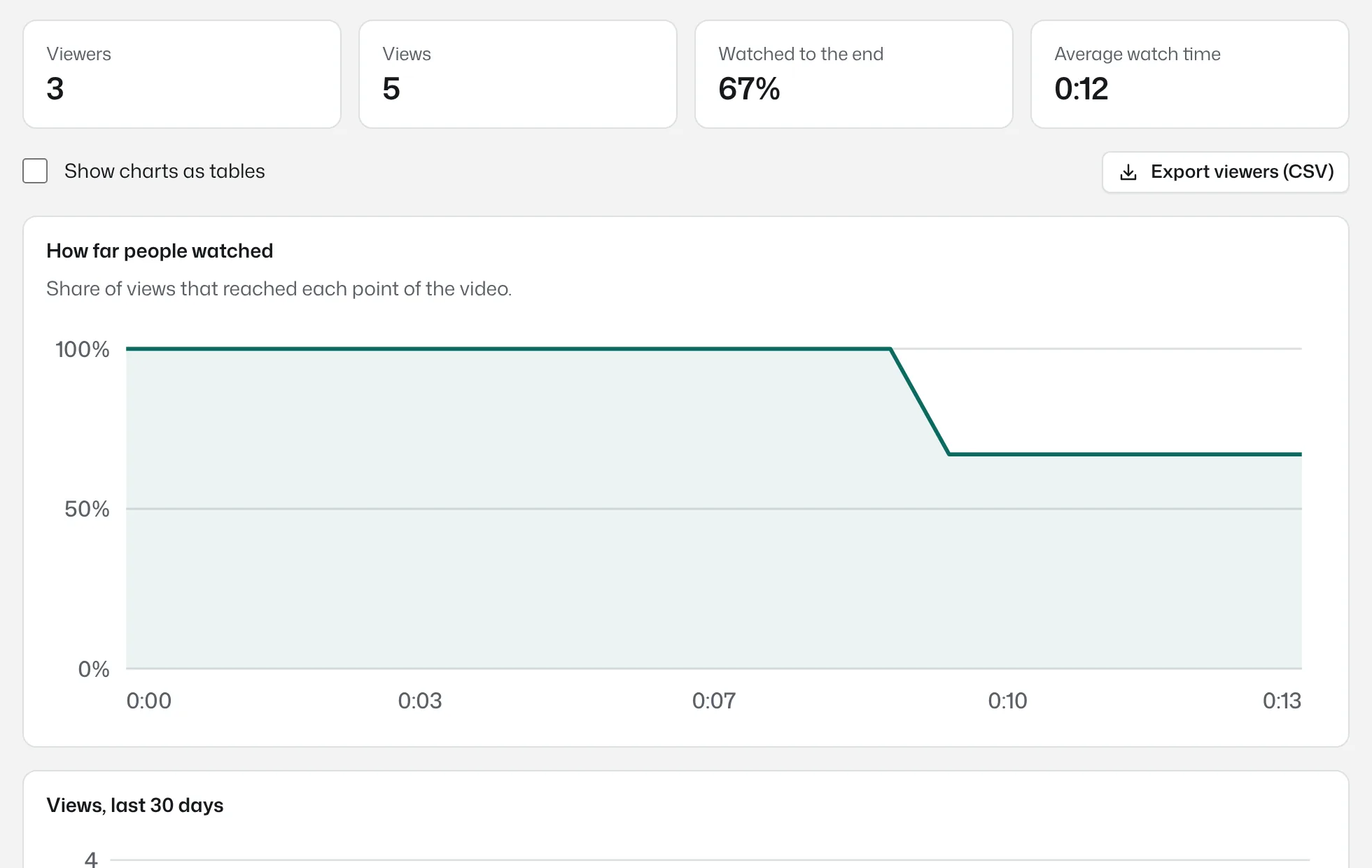
- Retention curve, second by second
- Views per day and where they came from
- CSV export on Pro and Team
Retention tells you what to cut
The retention chart shows the share of viewers still watching at each point. A cliff at 1:10 means something at 1:10 lost people. The fix can be a trim, a re-recorded part, or the answer coming first next time.
Every chart has a table view with the same numbers, for screen readers and for anyone who prefers rows to lines.
Names when people give them, privacy when they don’t
Signed-in teammates and viewers who comment appear by name. Anonymous viewers are counted once per browser using a random identifier that we store only as a one-way hash. We don't use third-party cookies and we don't follow viewers around the web.
The details
- Per viewer
- Name when known, how far they reached, watch time, last viewed, device and country.
- Per video
- Views, unique viewers, completion rate, average watch time, views per day for 30 days, referrers.
- Export
- CSV of viewers on Pro and Team.
- Notifications
- An email the first time someone watches, and when people comment.
Insights: common questions
Something missing? Questions sent through the contact page get an answer within a working day.
Can I see who watched if they are not signed in?
You see a name if they comment or sign in. Otherwise they are counted as an anonymous viewer, once per browser.
Does watching on a phone count?
Yes. Views are counted the same way on every device.
Is the analytics data shared with anyone?
No. It is visible to the video owner and workspace admins only.
Your next explanation could be a two minute video.
The first one needs no account and no install, and the link is ready when recording stops.